Install a SOFiE Configuration File
Installation procedure
-
Log into SOFiE.
-
You are invited to load the file ("sofie.<userID>.<timestamp>.config") you have received from Six-Payment-Services
Remark:
If you don't see the next screen but instead the login screen, use the "Tools->User configuration file import" menu to load the config file.
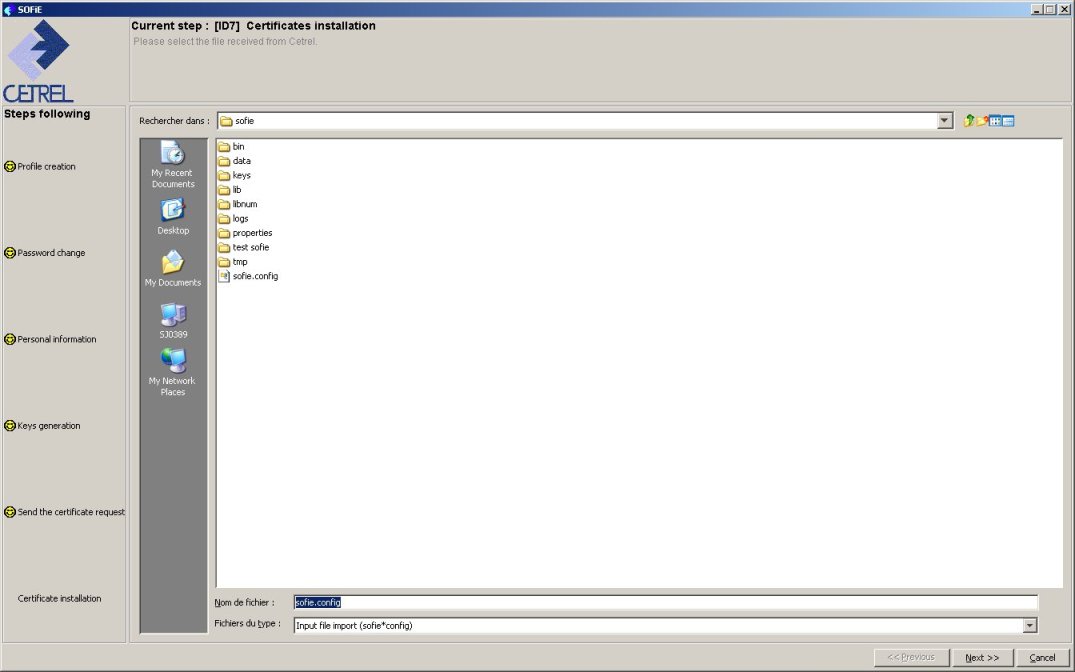
Select the file and continue with 
-
SOFiE is installing your certificate. The configuration wizard will finish with
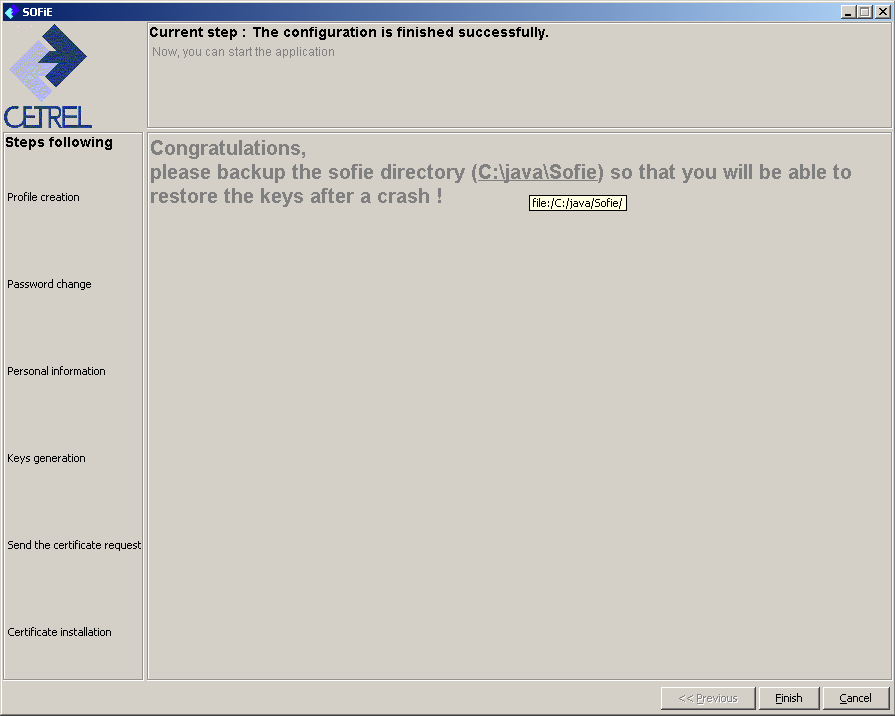
Clicking on  will automatically start SOFiE
Remark
Installation of a SOFiE configuration file is required each time you receive a SOFIE config file from Six-Payment-Services.This happens in the following cases:
-
After the order and upload of a Luxtrust certificate on Six-Payment-Services server.
-
If your are working in non-LDAP mode and a change has been made in your SOFiE contract or in one
of your destinators (or if the latter has renewed his keys).
In LDAP mode, you don’t need
a SOFiE file, the change of configuration is automatic.
We highly recommend you to install as soon as possible any sofie.config file Six-Payment-Services sends you.
The non-installation may have impacts on your next file transfer.
Six-Payment-Services may not be hold responsible for any damage if you do not follow this instruction.